
INFOTS / EXPERTISE

UI/UX Design

Clear interfaces that help people find what they need and complete the actions that matter.

Discuss your project
GOOD FIT FOR

New digital products, website redesigns, admin dashboards and teams that need a clearer user journey before development.

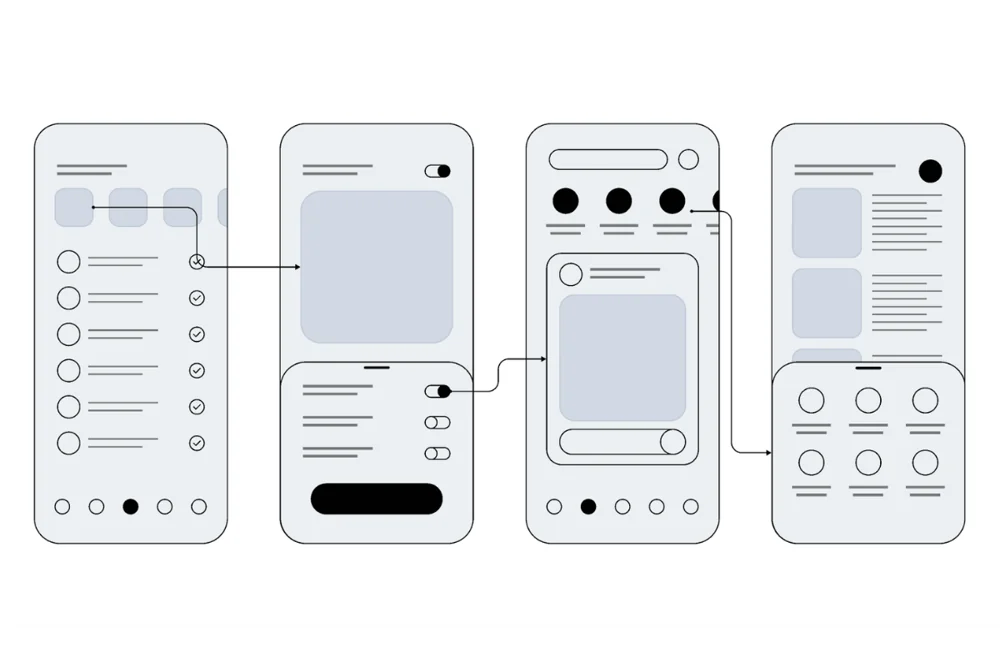
UI/UX Design project interface examples
Design, development and the details that connect.
What we do

Clarity in every screen.

Good interface design helps people understand where they are, what they can do and what happens next. INFOTS designs websites, dashboards and product screens around the tasks the user needs to complete.

We review your business goals, existing content and the important customer or staff workflows. We organise the information, develop the visual direction and work through the states that are easy to miss in a single static screen.

The result is a considered design ready for review and implementation: layouts, reusable patterns and the key responsive, loading, empty and error states included in your scope.

Considered from the start

Built to be useful.

We connect the customer experience with the controls your business needs behind it.

User journeys

Map the steps people take to find information, request a service, complete a purchase or manage a task.

Wireframes & structure

Agree the information hierarchy and layout before spending time on visual polish.

Interface design

Typography, spacing, colour, imagery and controls shaped into a consistent visual direction.

Interactive prototypes

Review key flows and transitions before implementation where a prototype helps make the decision clear.

Responsive states

Plan how content, navigation and controls adapt across the agreed screen sizes.

Reusable patterns

Consistent buttons, forms, cards and feedback states make a product easier to use and maintain.

When you need more

Room for the next step.

For a larger product or established team, design work can include a broader set of shared foundations.

Tell us your requirements
  • Design systems and reusable component guidance
  • Dashboard and data-heavy interface design
  • Form and onboarding improvements
  • Accessibility review of key journeys
  • Existing product experience audits
  • Clickable stakeholder prototypes
  • Developer handover and implementation review
  • Multi-role and multilingual screen planning
How we work

Clear steps. Reviewable progress.

You know what is being built, where your input is needed and what comes next.

01

Clarify the task

Identify the audience, product goals, available content and the journeys the design must support.

02

Explore the structure

Use wireframes and flow maps to resolve important information and navigation decisions.

03

Design the experience

Develop the visual direction and key responsive states, then review the details with you.

04

Prepare implementation

Organise the agreed design, reusable patterns and handover notes for the development team.

Your project handover

Ready to use.
Ready to manage.

The final deliverables, responsibilities and support period are listed in your proposal.

  • Agreed user journeys and screen list
  • Wireframes and visual direction
  • Final screen designs in the agreed format
  • Responsive and key interaction states
  • Prototype where included
  • Design assets and implementation handover
TOOLS & FOUNDATIONS
User flowsWireframesInterface designPrototypesResponsive systems
Explore our work
Before we begin

A little more clarity.

Useful answers about this service. For a specific requirement, speak directly with INFOTS.

Can I request design without development?

Yes. Design and development can be scoped separately. We confirm the screen list, deliverable format, review rounds and handover requirements before starting.

Will the design include mobile layouts?

We agree the target screen sizes in the scope. Responsive behaviour is considered during design so the final experience works beyond the main desktop screen.

Can you improve an existing app or dashboard?

Yes. We review the important tasks, confusing steps and existing interface, then propose focused changes or a broader redesign depending on the need.

Let’s make it useful

Tell us what you have in mind.

Share the business, the problem and the result you need. We’ll help define the next step.

Start a conversation